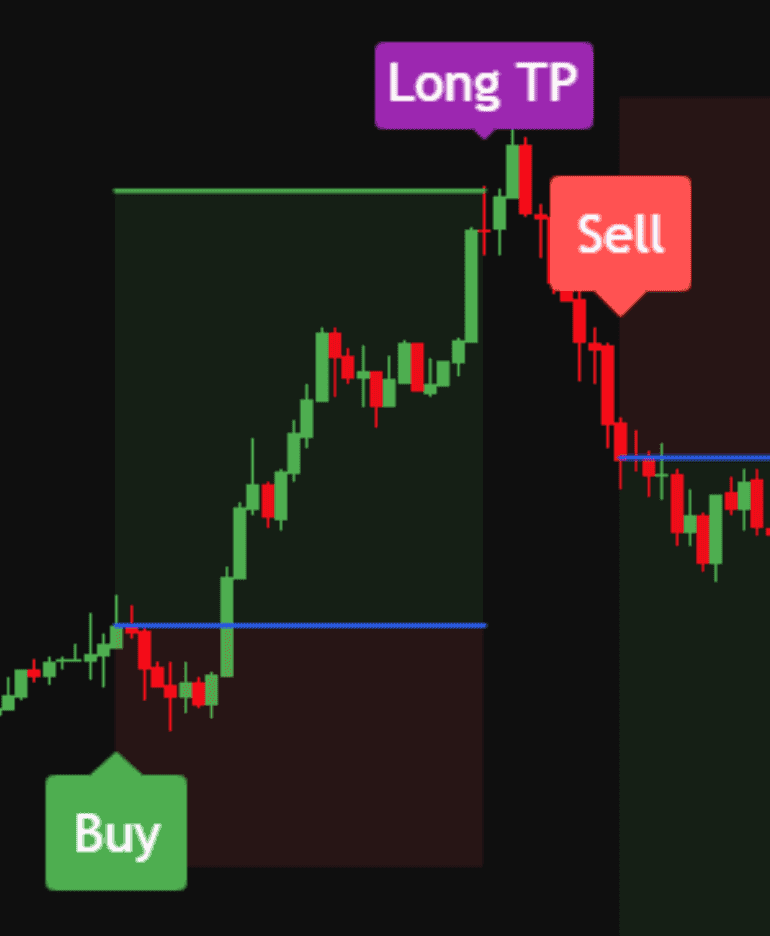
Setup labels
A label prints where Swift Algo's conditions line up, on any market and timeframe. Once a label is on the chart it stays there. It doesn't repaint.
Real screenshot, historical data. Chart by TradingView.
Watch the video to see the exact indicator already used by thousands of traders and rated 4.8 out of 5 stars.
Reviews from our Whop store, word for word. Everyone who leaves one there has bought the indicator.
I've had this indicator for 2 months now and can recommend it with a clear conscience. For me it's just one element of the strategy, but one of the main ones — thanks to that I don't react to every signal that appears. I use it mostly on higher time frames — M30/H1 — and that's where it works best. …
really good indicator. easy to use & detailed (some paid indicators has 3 indicators swfit algo has all three in 1 indicator) save lots of time with its alerts so i have more free time. if you are a beginner like me who dont like to sped whole day on charts swift algo is HIGHLY RECOMMENDED.
I'm very happy with this indicator. It's very powerful and flexible, suitable for any timeframe, RR ratio, asset, or trading strategy.
You can also set up alerts, and it has a Discord channel and support to help you through the entire setup process. I highly recommend it!
This indicator is great but nothing comes easy in this world, a little trial and error is required to find the optimal settings but definitely would recommend it. The team is also very responsive on discord and always ready to help .Good thing is they listen to their customers and release new features. The discord community is also good people are willing to help each other out, helps in collective growth.
Final decision: Worth it
Works great, I have my list of stocks to buy but was challenged when to buy. I use the tool to assist me in timing buys and sell it's been great so far, I recommend it.
Followed all the steps. Finally, find the indicator which helped me a lot in developing my trading skills.
It delivers! I've tried a few indicators but I like this one because I find it actually teaches you discipline and the support from Niklas is great thank you 🙌
So far the best indicator I know. I can only recommend it
Each review is one person's experience with the tool, quoted as it was written. We leave out reviews that talk about individual trading results, so what you see here is about the product rather than anyone's account. No review is a promise of how Swift Algo will work for you.
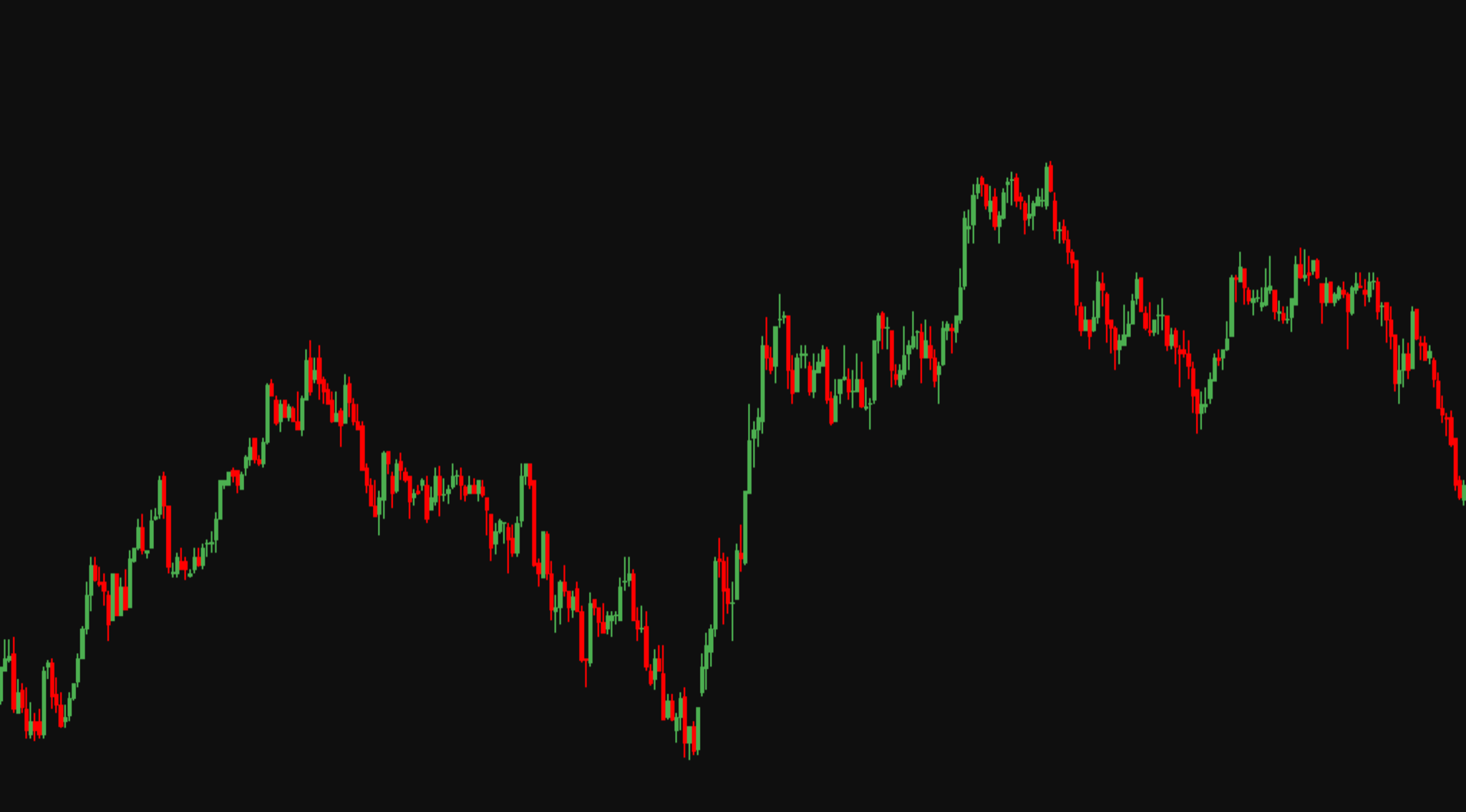
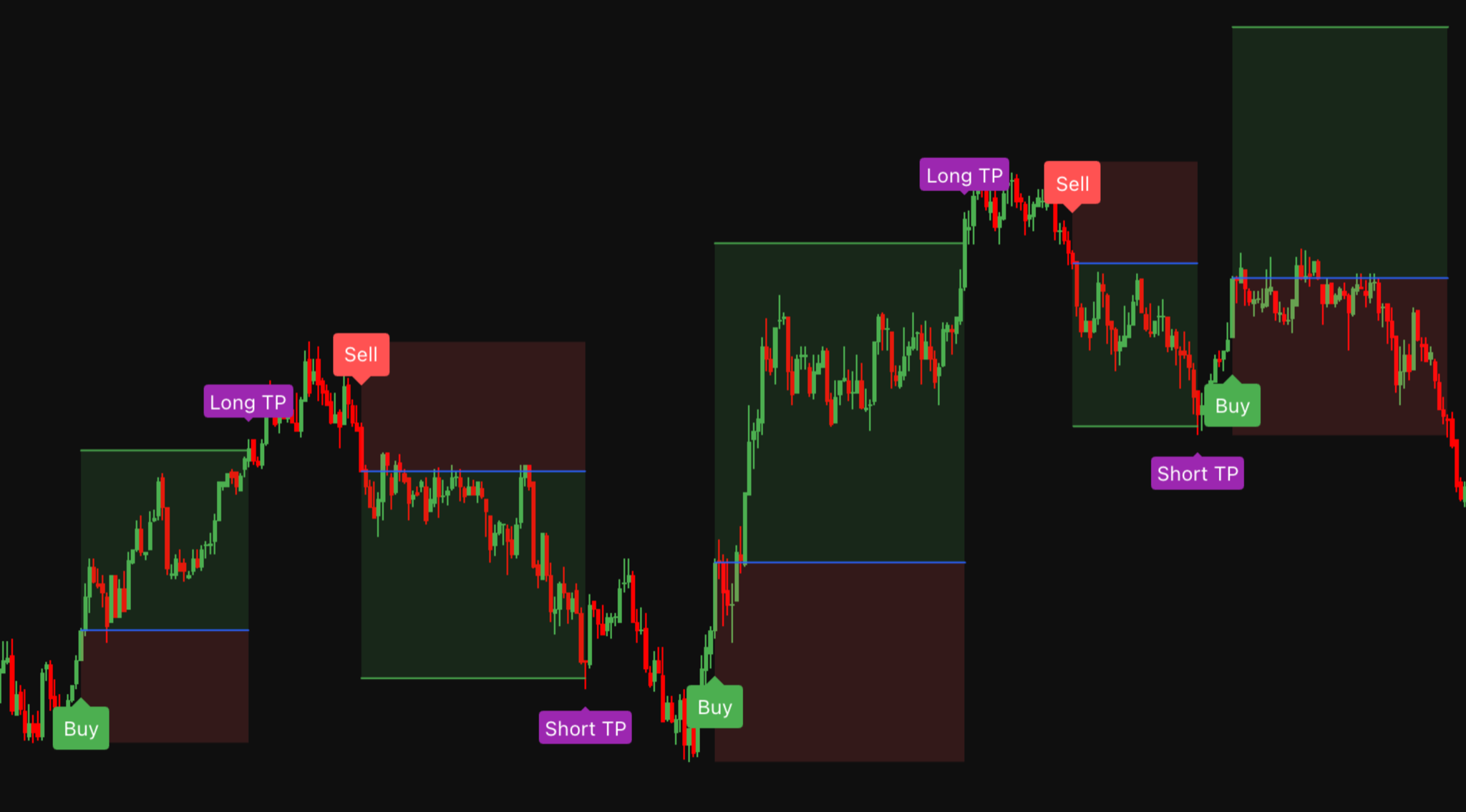
Drag the handle to the right and Swift Algo appears on the chart: the possible setups, the stop and the target. The candles never change, what you can see does.
One label, its levels and what each part means. This is a single Sell, shown up close.
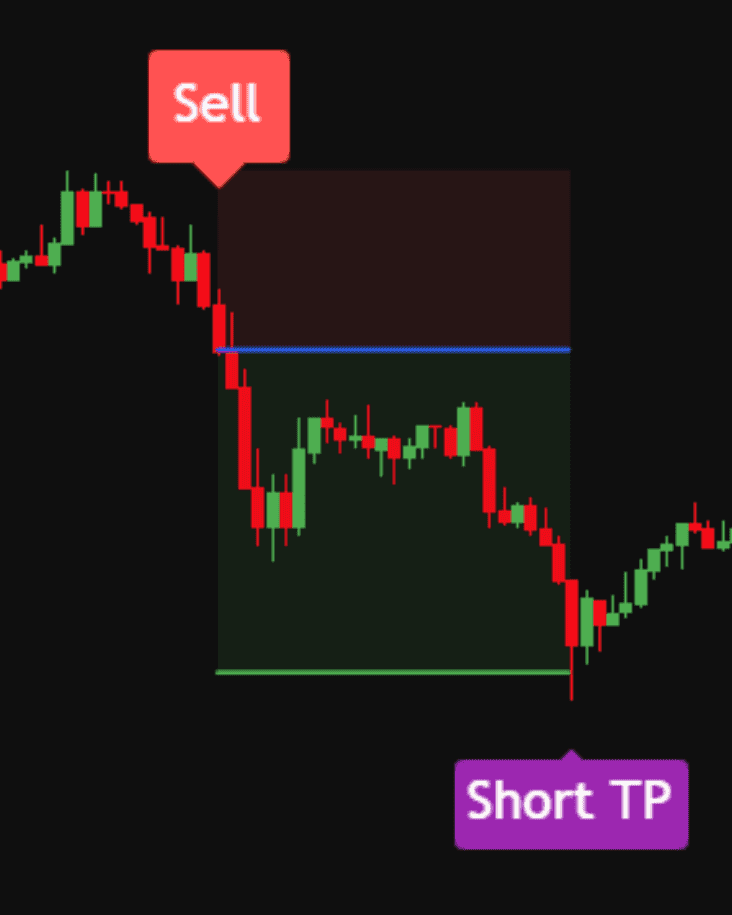
Prints on the candle where Swift Algo's conditions line up. It marks a possible setup, not an instruction.
The blue line is the price where the label printed. The stop and the target are measured from here.
The far edge of the red area, on the other side of the setup from the target. If price reaches that line the idea was wrong, and you knew the planned loss before you acted.
The far edge of the green area. Measure it against the distance to the stop and you have the setup's reward-to-risk, before you act.
A Long TP or Short TP tag appears if price reaches the target. This doesn't mean it always gets there; sometimes the stop gets hit.
The trend table shows the direction on several timeframes at once, in the corner of your chart.
When the conditions of Swift Algo line up, a label appears on the candle that triggered it.
The possible setup, the stop and the target appear with it, so the risk is visible up front.
Take it, skip it or wait. Alerts tell you when a new label prints, so you don't have to watch all day.
One indicator for TradingView, with everything below included on every plan.
A label prints where Swift Algo's conditions line up, on any market and timeframe. Once a label is on the chart it stays there. It doesn't repaint.
Real screenshot, historical data. Chart by TradingView.
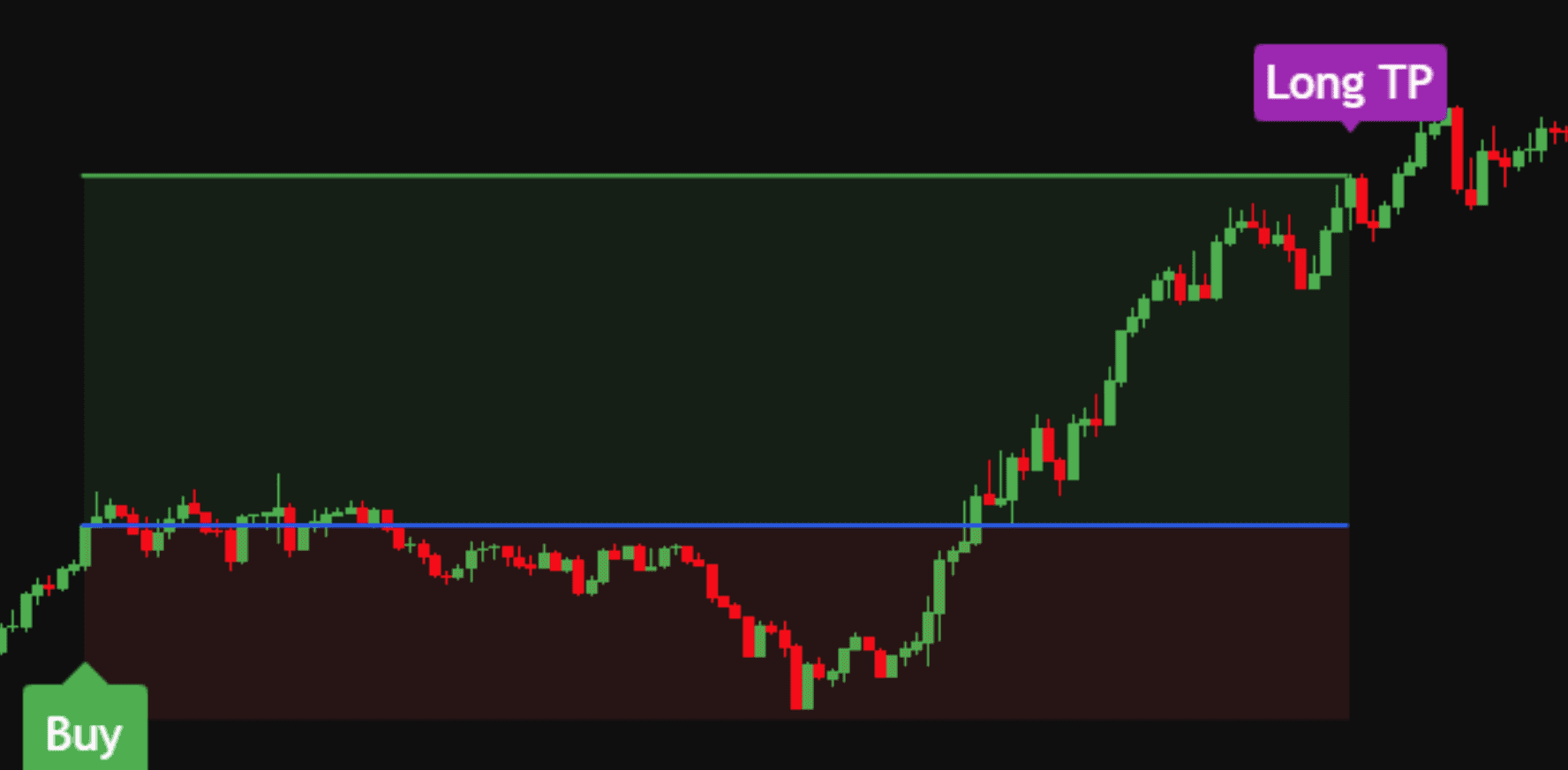 Target
Entry
Stop
Target
Entry
Stop
Every label comes with its levels already drawn on the chart, so you can see the risk before you act. In this example price sat below the entry for a long time before it reached the target.
Real screenshot, historical data. Chart by TradingView.
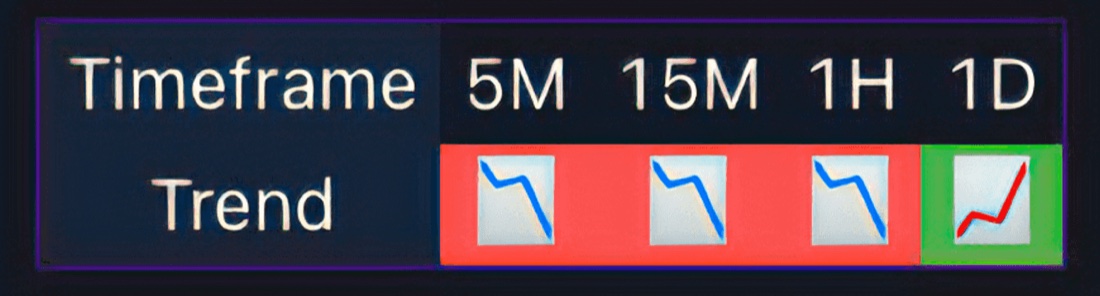
The trend on several timeframes, from 5 minutes to daily, in one small table on your chart. It saves flicking through timeframes one by one.
Try Swift Algo's settings on historical data for any market and timeframe before you use them. Past results don't guarantee future ones.
Set a TradingView alert once and get notified on your phone or desktop when a new label prints.
Step-by-step video guides for setup and settings, a support team for questions, and a private Discord community.
How often labels print is a setting, so Swift Algo can be tuned to your timeframe and the way you trade. The guides cover which settings suit which style.
Anyone who tells you otherwise isn't telling the truth, because winning every trade is impossible. Swift Algo is built to give you something more useful: a clear, repeatable process for reading the chart, understanding the trend, defining risk, and testing your approach on historical data.
Swift Algo does that chart work for you, the same way on every chart, every time, so you don't spend the whole day on it.
10/10
HanselTradesreally good indicator. easy to use & detailed … save lots of time with its alerts so i have more free time.
madhura sandeepanaThe indicator is goated
Alexander HefnerSo far the best indicator I know. I can only recommend it
Josef Kubicek… helped me a lot in developing my trading skills.
ljubo1978The team is also very responsive on discord and always ready to help.
Parth Bhimani… it actually teaches you discipline and the support from Niklas is great.
Christina RodríguezThe man who made it is always there to help …
Bogdan Cvjeticanin… very powerful and flexible, suitable for any timeframe, RR ratio, asset, or trading strategy.
Cristina López SanzI use the tool to assist me in timing buys …
MISSIONBEACHRATEvery plan unlocks the full indicator, the guides and every update. Lifetime adds priority support.
Pay month to month.
About $2.20 a day.
Billed $67 every month. Renews automatically until you cancel. Cancel anytime.
Get MonthlyPay every three months and save 11%.
About $1.95 a day.
Billed $179 every 3 months, about $59.67 a month. Renews automatically until you cancel. Cancel anytime.
Get QuarterlyPay once, no subscription.
One payment of $799. Nothing renews and there is nothing to cancel.
Get LifetimeSecure checkout Card PayPal
Trading involves substantial risk of loss. Swift Algo is a technical analysis tool for informational and educational purposes. It is not financial advice, it does not execute trades, and it does not manage money.
Still have questions? Contact us

Invite-only access on TradingView, set up with a step-by-step video guide. From $67 a month, cancel anytime.
Trading involves risk. Only trade with money you can afford to lose.
Cookies
We’d like to use the Whop Pixel and the Google tag to see which ads lead to purchases. They set cookies and only load if you accept. You can change your choice anytime under “Cookie settings” at the bottom of this page. Privacy Policy